Echopais Logo Echopais MIDI System
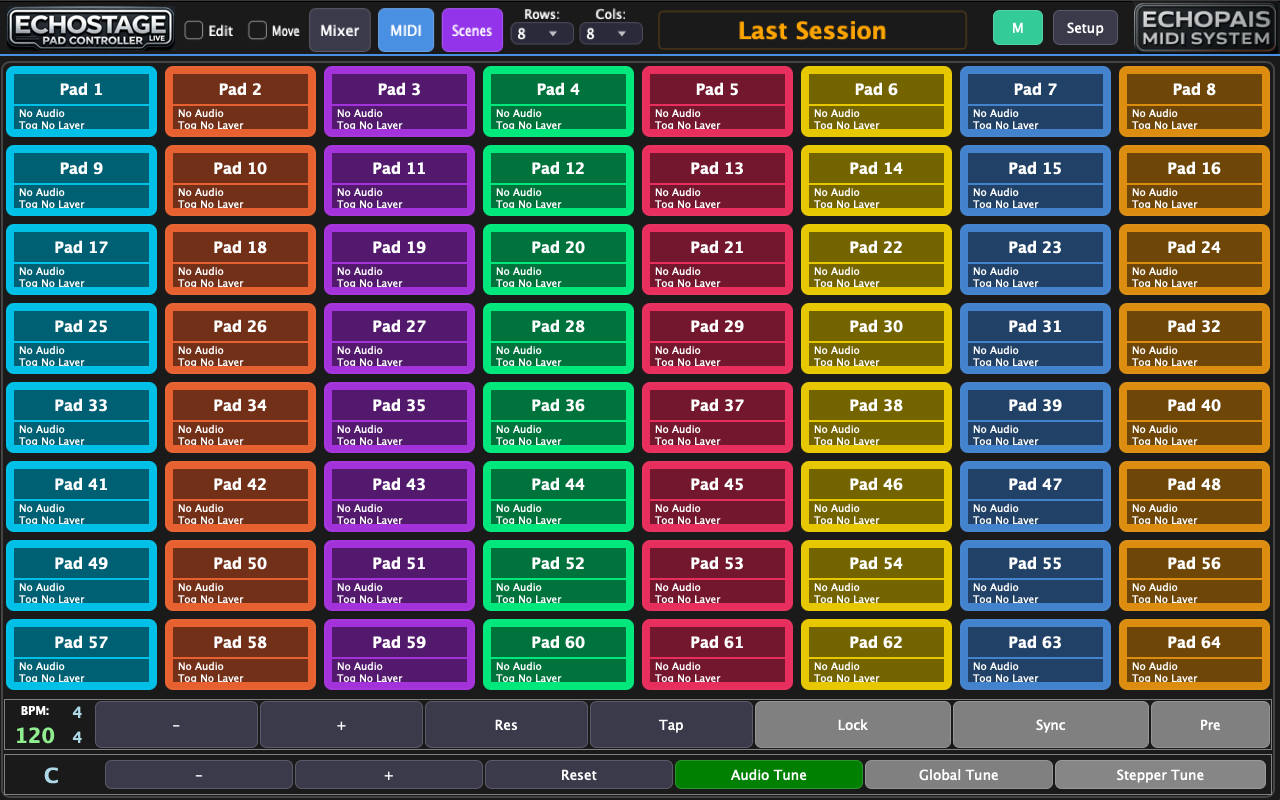
ECHOSTAGE-LIVE Logo ECHOSTAGE-LIVE Interface
ECHOSTAGE-LIVE App Icon Pad Controller

ECHOSTAGE-LIVE

Advanced pad-based audio and MIDI performance engine with deep control and flexibility for live use. Built for the stage with reliable playback, deep MIDI integration and total control.

€499 €249 50% OFF - Limited Time!

Quick Navigation

1

What is ECHOSTAGE-LIVE?

ECHOSTAGE-LIVE is an advanced pad-based audio and MIDI performance engine designed specifically for live use. It combines powerful audio playback with deep MIDI integration, giving you total control over your performance.

Perfect For: Live performers, electronic musicians, DJs and hybrid setups, theater and stage productions, studio-to-stage workflows.

2

Key Features

Advanced Pad Engine

Up to 9 audio layers per pad with individual file, volume, bus and routing. Up to 8 MIDI layers per pad supporting CC, Note, Program Change and SysEx.

Audio & MIDI Playback

Audio-only, MIDI-only or combined playback. Wait and loop modes with measure-based timing. Sample-accurate triggering for live performance.

Full Mixer

Per-channel volume, pan, mute and solo. Selectable audio interface. Adjustable buffer size and sample rate.

Performance Controls

Global or per-pad tempo and pitch control. Tap tempo support. Independent tempo and pitch locking. Stepper mode.

Pad Customization

Custom pad names and colors. Import custom pad images. Adjustable grid from 1x1 up to 10x10. Free pad movement.

Scene Manager

Save, load, export and import scenes. Instantly recall complex live setups. Ideal for shows, rehearsals and studio sessions.

Waveform Display

Full waveform view with zoom and scroll. Start, end, loop start and loop end markers. Adjustable marker precision.

Metronome

Built-in metronome with customizable sounds. Accent on first beat option. Start from bar option with count-in. Pad-synced playback.

Time Stretching

High-quality time-stretching powered by Signalsmith Stretch. Real-time tempo changes without affecting pitch.

3

Interface Overview

Main Toolbar

File Scene management (New, Open, Save, Export, Import)
Edit Undo/Redo and grid size settings (1x1 to 10x10)
Settings Audio, MIDI, and metronome configuration
Mode Toggle Switch between Edit and Move modes

Mode Descriptions

  • Edit Mode: Tapping a pad opens the Edit Pad panel. Long press opens pad context menu. Drag to select multiple pads.
  • Move Mode: Tapping a pad selects it (orange border). Drag selected pad(s) to reposition. Long press opens pad context menu.
  • Performance Mode: Available when both Edit and Move are disabled. Full pad triggering without editing.

Pad Context Menu

Long press any pad to access:

  • Edit Pad - Open the pad editor
  • Duplicate Pad - Create a copy of the pad
  • Delete Pad - Remove the pad
  • Copy/Paste - Copy pad settings to clipboard
4

MIDI Settings

Global MIDI Settings

MIDI Output Select output device for sending MIDI
MIDI Input Select input device for receiving MIDI
Clock Output Send MIDI clock to external devices
Clock Input Sync to external MIDI clock

MIDI Message Types

  • Note: Standard MIDI note with channel, note number, and velocity
  • Control Change (CC): MIDI CC messages with channel, CC number, and value
  • Program Change: Bank and program change messages
  • SysEx: System Exclusive messages for device-specific control

MIDI Trigger Modes

  • Momentary: MIDI is sent while the pad is held down
  • Toggle: First tap activates, second tap deactivates
  • One-Shot: Single trigger on pad press

Learn Mode: Fast MIDI mapping - press Learn, then press your external controller button to map instantly!

Pad Navigation via MIDI

Control pad navigation using MIDI:

  • Page Up/Down: Navigate between pad pages
  • Row Up/Down: Navigate between rows
  • Next/Previous: Move to adjacent pads
5

Audio Settings

Edit Pad - Audio Tab

File Select audio file for the layer
Volume Layer volume (0-100%)
Bus Route to mixer channel 1-8
Preview Listen to layer before triggering

Waveform View

The waveform display provides visual editing of audio files:

  • Start Marker (Green): Playback start position
  • End Marker (Red): Playback end position
  • Loop Start (Blue): Loop region start
  • Loop End (Purple): Loop region end

Waveform Controls:

  • Pinch to zoom in/out
  • Drag to scroll through waveform
  • Double-tap marker to reset to default

Original & Target Settings

Configure tempo and timing properties:

Tempo Original BPM of the audio file
Note Beat division (1/4, 1/8, etc.)
Measure Time signature numerator
Time Signature Beats per measure

Metronome Settings

  • Sound: Choose click sound (Default, Woodblock, Beep, etc.)
  • Accent: Emphasize first beat of each measure
  • Count-In: Number of bars before playback starts
  • Start from Bar: Begin at specific bar number
  • Link to Pad: Sync metronome with pad tempo

Time Stretching: This app uses Signalsmith Stretch for high-quality time-stretching. Adjust tempo in real-time without affecting pitch.

6

Mixer & Audio Routing

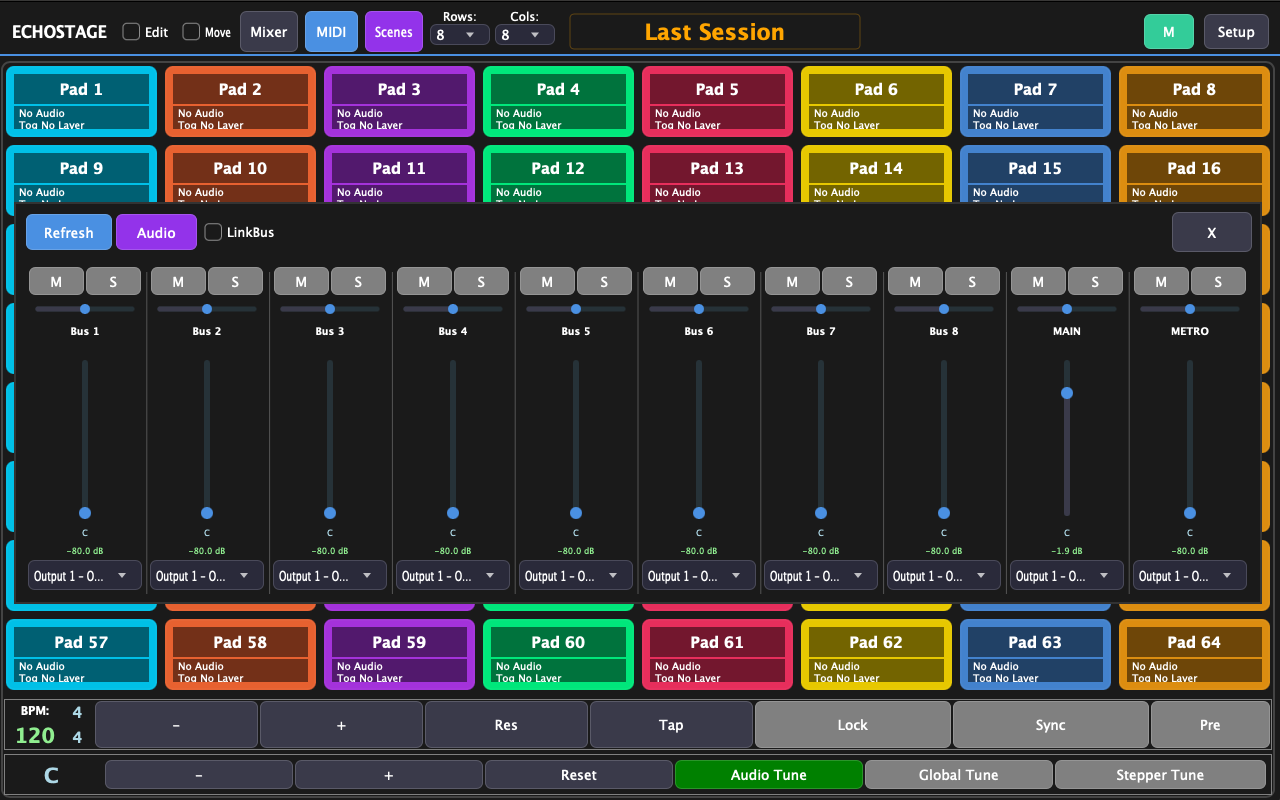
8-Channel Mixer

Full mixing console with 8 audio channels:

Volume Fader Channel level control
Pan Stereo positioning
Mute Silence channel
Solo Isolate channel

Audio Interface Settings

  • Output Device: Select audio output hardware
  • Sample Rate: 44.1kHz, 48kHz, 96kHz, etc.
  • Buffer Size: 64 to 2048 samples (lower = less latency)

Channel Routing

Each audio layer can be routed to any of the 8 mixer channels. Use the Bus setting in the Audio layer editor to assign routing.

Tip: Use lower buffer sizes (64-128) for live performance to minimize latency. Use higher buffer sizes for complex projects to prevent audio dropouts.

Complete User Manual

Everything you need to know about ECHOSTAGE-LIVE in one comprehensive guide.

Getting Started

  • Installation & Setup
  • Interface Overview
  • Creating Your First Scene
  • Adding Audio to Pads
  • Basic Playback Controls

Pad Configuration

  • Audio Layers (up to 9)
  • MIDI Layers (up to 8)
  • Trigger Modes
  • Custom Names & Colors
  • Pad Images

MIDI Integration

  • Input/Output Configuration
  • Learn Mode Mapping
  • CC, Note & SysEx
  • Clock Sync
  • Navigation Control

Audio Engine

  • Waveform Editing
  • Time Stretching
  • Loop Points
  • Tempo & Pitch Lock
  • Global Tuning

Mixer & Effects

  • 8-Channel Mixer
  • Volume, Pan, Mute, Solo
  • Audio Routing
  • Buffer & Sample Rate
  • Output Configuration

Scene Management

  • Save & Load Scenes
  • Export/Import Projects
  • Grid Configurations
  • Backup Strategies
  • Live Set Organization

Download the complete PDF manual for offline reference:

Download PDF Manual (Full Version)
7

Video Tutorials

Watch our comprehensive video tutorials to master ECHOSTAGE-LIVE quickly!

ECHOPAIS YouTube Channel
Tutorial 1

Getting Started with ECHOSTAGE-LIVE

Tutorial 2

Metronome Setup

Tutorial 3

PadGrid Layout

Tutorial 4

Scene Manager - Import & Export

Tutorial 5

MIDI Settings - Connection In/Out

Tutorial 6

Move Pads - Drag & Redirect

Tutorial 7

Media Controller - Pitch & Tempo

Tutorial 8

Release - All Platforms

Tutorial 9

Pad MIDI Settings

Tutorial 10

Pad Audio Settings & Layer Import

Tutorial 11

Update Information

Tutorial 12

Tips & Tricks

8

Developer & Credits

Developed by: Giannis Tsotsis

Legal Notice: This app uses Signalsmith Stretch for time-stretching audio. Signalsmith Stretch is licensed under the MIT License.